$49.95
Wondershare PPT2Video Pro is an all-in-one PowerPoint to video converter to convert PowerPoint presentation to video of up to 130 formats such as AVI, MOV, WMV, MPEG, FLV, 3GP and HD videos of excellent quality with all the original animations and sound effects retained.
After the PPT to video conversion, you can play your presentation video on most video players, share on video sharing sites like YouTube and Hulu, and distribute on portable devices like iPod, iPhone and iPad .
Supported OS: 32-bit Windows 7/XP/Vista, Windows Server 2008
PowerPoint Required: Microsoft PowerPoint 2000/2002/ 2003/ 2007 and 2010 32 bit


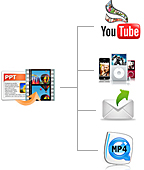
Convert PowerPoint presentations 2 video in simply 3 steps, no complex skills are needed.
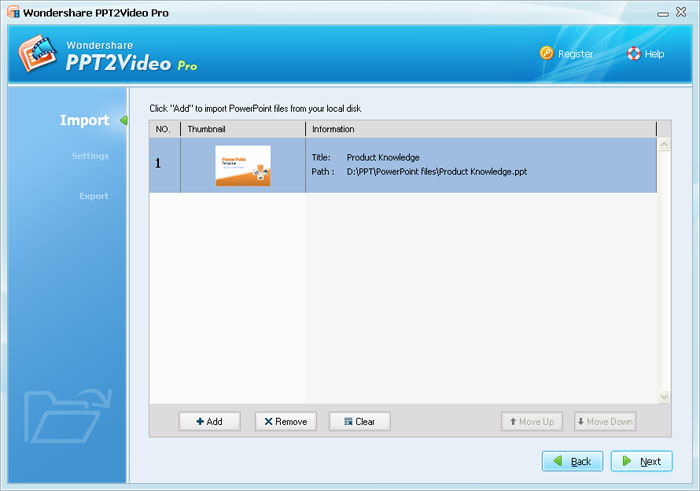
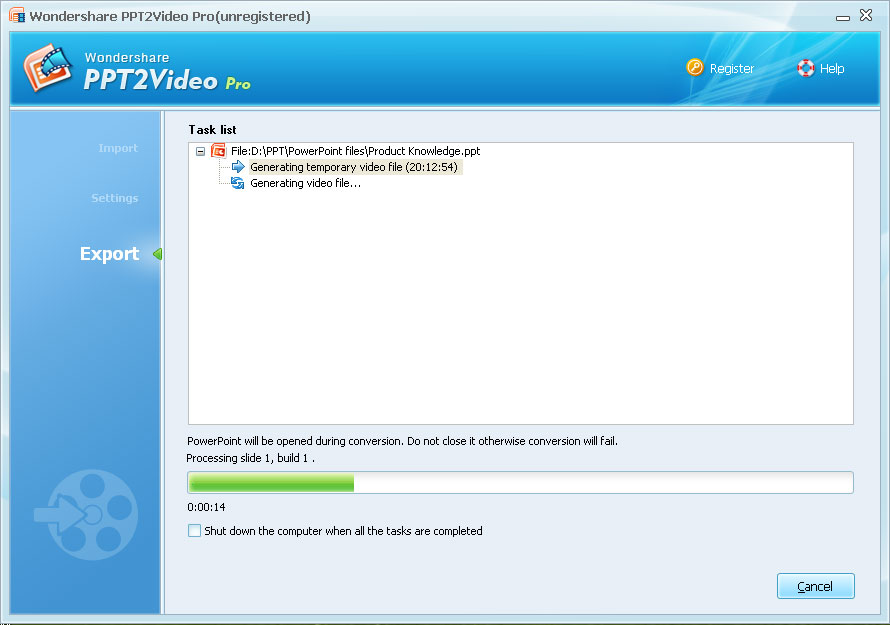
Up to 12 PowerPoint files can be converted to videos at one time.
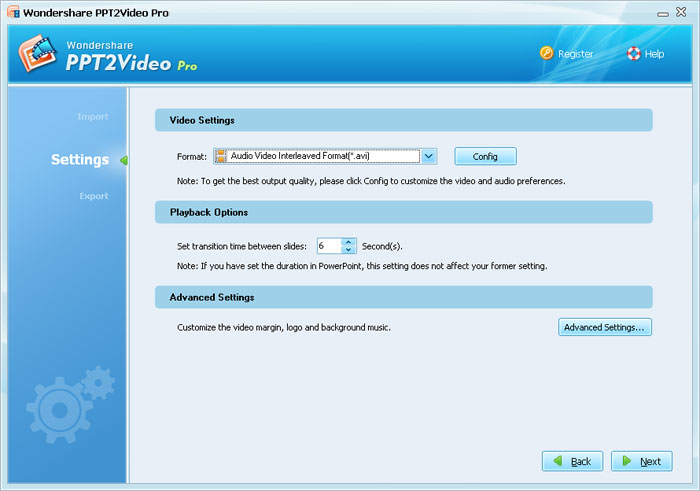
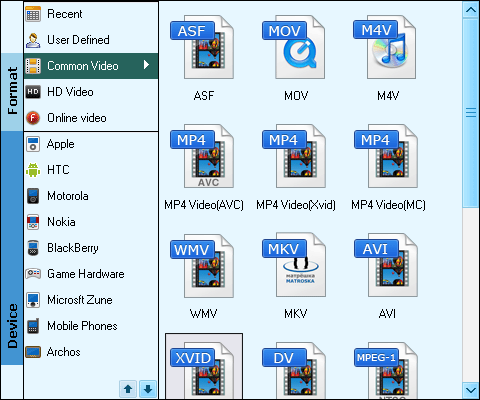 Provide up to 130 video output formats such as AVI, WMV, MP4, MPEG1, MPEG2, MOV, FLV, 3GP and multiple HD video formats.
With PPT2Video Pro, you can convert your PowerPoint files to videos of the following formats:
AVI: Play PowerPoint on YouTube, Pocket PC and Blackberry
WMV: Play PowerPoint on YouTube, Pocket PC, Blackberry and Zune
MP4: Play PowerPoint on iPod, iPhone, iPad, Apple TV, PSP, Zune, Blackberry and YouTube
MPEG: Play PowerPoint on YouTube, or further being burned to DVD
MOV: Play PowerPoint on iPod, iPhone, iPad, Pocket PC, Apple TV, Blackberry and YouTube
FLV: Play PowerPoint on Pocket PC and YouTube
3GP: Play PowerPoint on Pocket PC, Blackberry and YouTube
HD video: Play presentation as High-definition video of higher display resolution
According to the different usage of the output videos, you can adjust the video settings such as resolution, frame rate, and audio fidelity to make it play in higher quality.
This PowerPoint to video converter helps you retain all elements in the original PowerPoint such as animations, transitions, sounds and video clips when converting presentations to video.
You can add your own logo to the output to personalize the PowerPoint after being converted to video.
Recommended Product
Only $99.95 Buy Now
PPT2Video Pro Quick Links
Products List
Testimonial
"I want to let you all know that I am more than pleased for your help and pleased to be one of your customers. It is companies like yours that make a difference in the computer world. "
-- Jackson