PPT to YouTube Screenshots
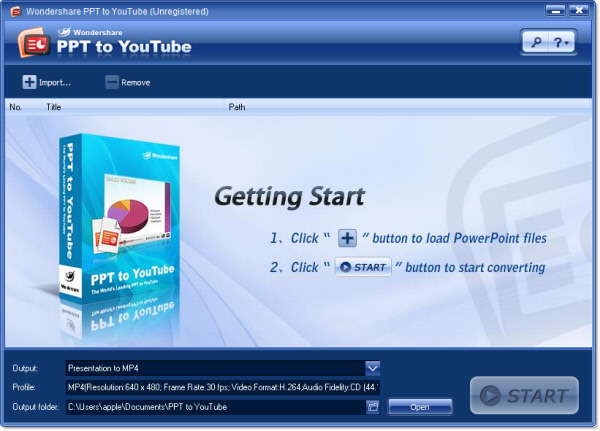
Neat and intuitive user interface
- 1. Neat and intuitive user interface
- 2. Easy to use just like 1, 2, 3
- 3. Click "Import" button to load PowerPoint files
- 4. Click "Start" button to start converting
Import files or open a project
- 1. You can import up to 8 files to convert at a time
- 2. Support PowerPoint 2000/2002/2003/2007 file formats
- 3. Convenient short-cut key
- 4. Display the information of the imported files
Multiple output formats with flexible settings
- 1. Support output as WMV video
- 2. Support output as MP4 video
Start converting
- 1. Extremely high conversion speed.
- 2. Option to shut down Windows when conversion is finished
- 3. Conversion in control: you can cancel the conversion any time
Burn PowerPoint presentations to DVD:
Burn PowerPoint Presentations to DVD with DVD Menus to watch PowerPoint slide show on TV Learn more about PPT to Video >>