Home > Community > Learning Center > Online Help> Edit Title Menu
 to customize the Title Menu. On the preview area, you see the name of the title menu at top, below which the titles of your presentations are listed. After you choose a slide show, the corresponding Main Menu shows.
 Menu Settings
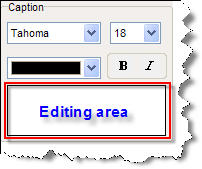
Besides, you can change the font, size, color and style of the caption.
Click Save as Default to
apply current settings as default.
Alignment
You can use the align function (on the top of the window) to quickly align the menus. Click and hold your left mouse button as drag you to draw a rectangle to enclose the objects you want to align, and then click an align button to align the objects.
Background
 to import an image from your drives as the background. to locate an audio clip from your drives, and then click Open. After you import an audio file, you can click
  to play it, or click
  to remove the current music.
